Software RequirementsBroadly speaking, we use the VPDMf in two ways.
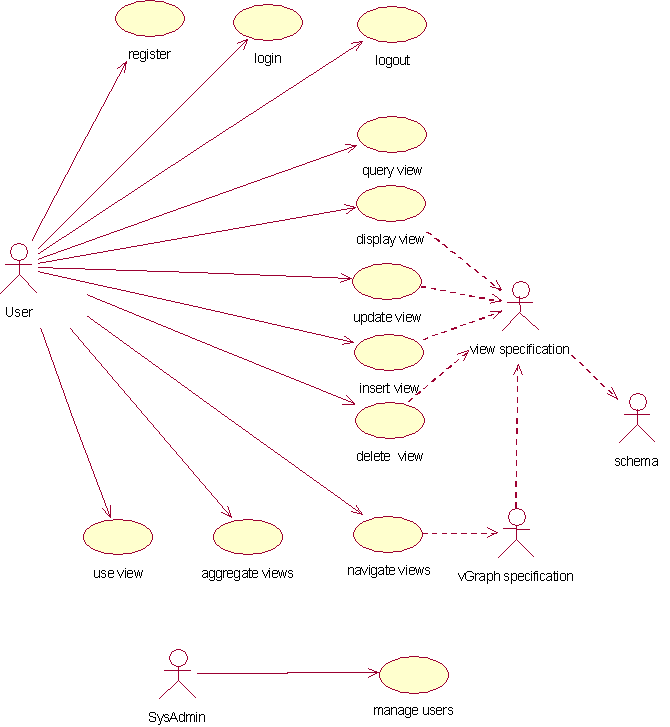
1. Building systems with forward- and reverse- engineering.The first domain of usage may be summarized within Figure 1, a use case diagram from the unified modeling language,. or 'UML'. This is really a series of forward- & reverse-engineering use cases where the system may be used to build systems from models or models from systems.
Figure 1: Use cases from the reverse- and forward engineering sections of the database. This set of principles can be summed up in the following descriptions of use cases.
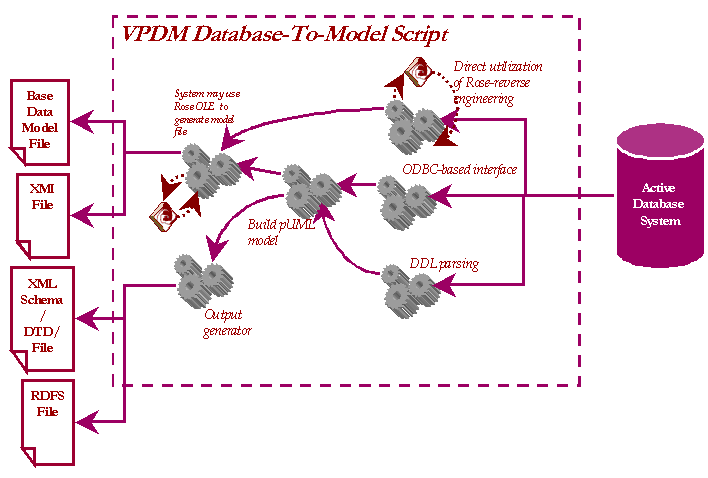
Input systems (reverse-engineering)We intend to automate the process of constructing data models from the following examples of real-world systems. These are the possible input data structures.
Figure 2: An example of the design of a reverse engineering paradigm in the VPDMf. Output systems (forward-engineering)The VPDM framework is intended to generate systems from schema. The fact that different systems generated from the same schema has the same design simplifies development work enormously. We want to be able to automatically generate database schema in one step. The systems we intend to be able to use his for are.
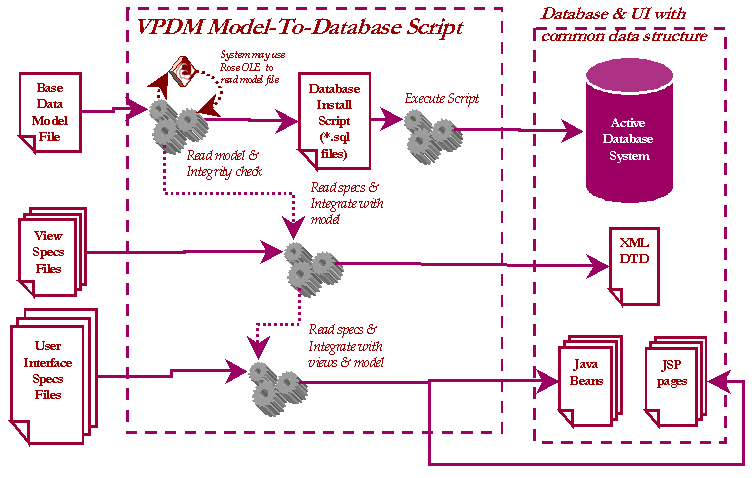
Additionally we will be able to generate user interfaces and data encapsulation methods that themselves use the VPDMf directly. We discuss these issues in the next section. The following diagram illustrates the process of generating a database system within a linked user interface from a single model file with descriptions of views and interface parameters. The Base Data Model file is parsed and manipulated by VPDMf to generate an installation script for the database (which then may be executed from within the VPDMf). The VPDMf representation forms the basis for the definition of views (which may be used as XML documents), which then forms the basis for the necessary files underlying a simple user interface.
Figure 3: An example of the design of a forward engineering paradigm in the VPDMf. 2. Data access methods.
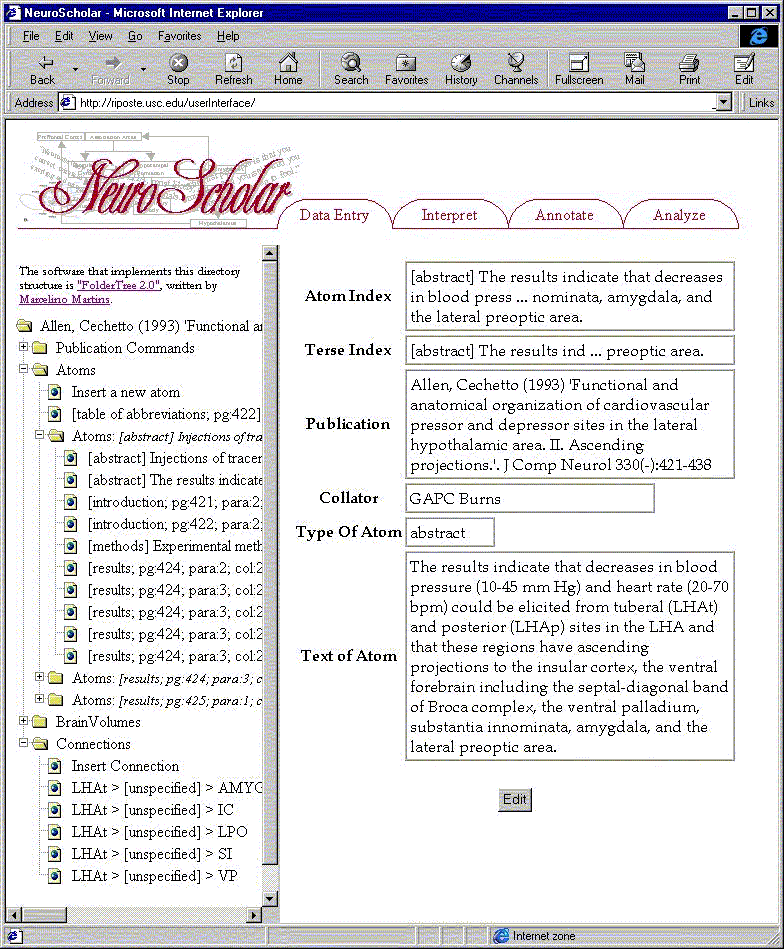
Figure 4: Use case diagram for VPDMf-enabled user interface. A preliminary user interface was built and tested using ASP pages. We present this as an illustration (which we will return to throughout this documentation).
Figure 3: A sample screenshot from an early implementation of a VPDMf-enabled system. This image shows a navigation tree in the left hand pane (as a represention of the vGraph) and the data attributes comprising a specific view (in this case, showing the text atoms or 'fragments' that form a document in the NeuroScholar system). We break this down into two categories:
Data encapsulation methodsWe would like to be able to package the within a view in an encapsulated form. This is essential for the to share data with other systems (see next section). We anticipate using a number of different methods to accomplish this.
Data mediation and translationIf we can pass data between systems using the VPDM framework, then we would also like to be able to use the same framework to mesh one system's data model onto another. We anticipate using the XSL paradigm to accomplish this mapping. Having described the domain space that this application is used for we then enter the details of how the system is actually put together. This is described in the next section >>> |